SQL Server · PostgreSQL · MySQL
Your database, fitted to the way you work.
Joinery is a desktop workbench for three relational engines, with one set of workflows across all three. Connect directly or through an SSH tunnel, read the schema, write and run SQL, and see the exact statement behind every operation the app performs on your behalf.
Install JoineryWhat you need firstA tour of the workspace
Open source under the MIT license, and the source is on GitHub. There are no packaged installers yet — they arrive with v1, and until then you build from source, which is four commands.
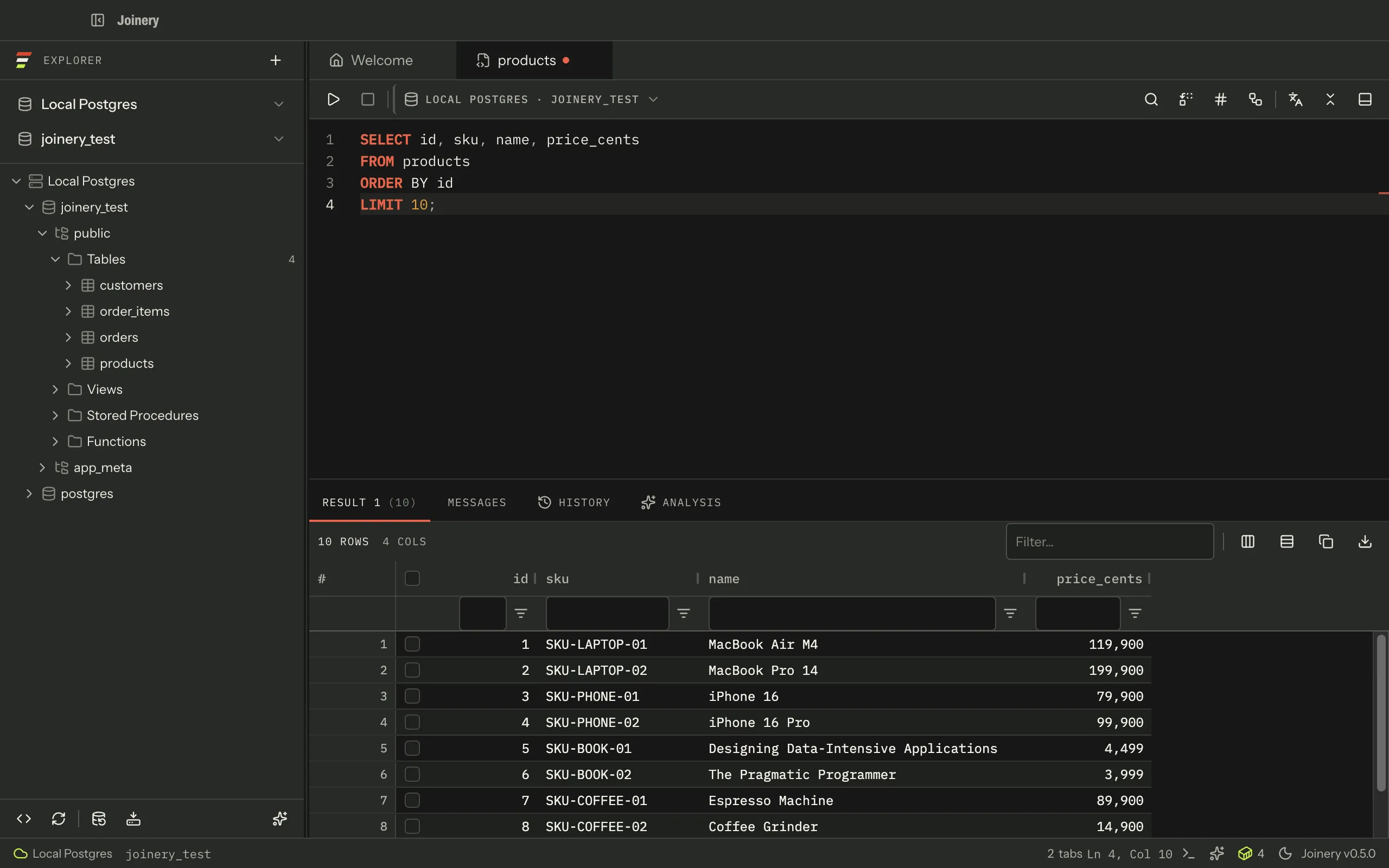
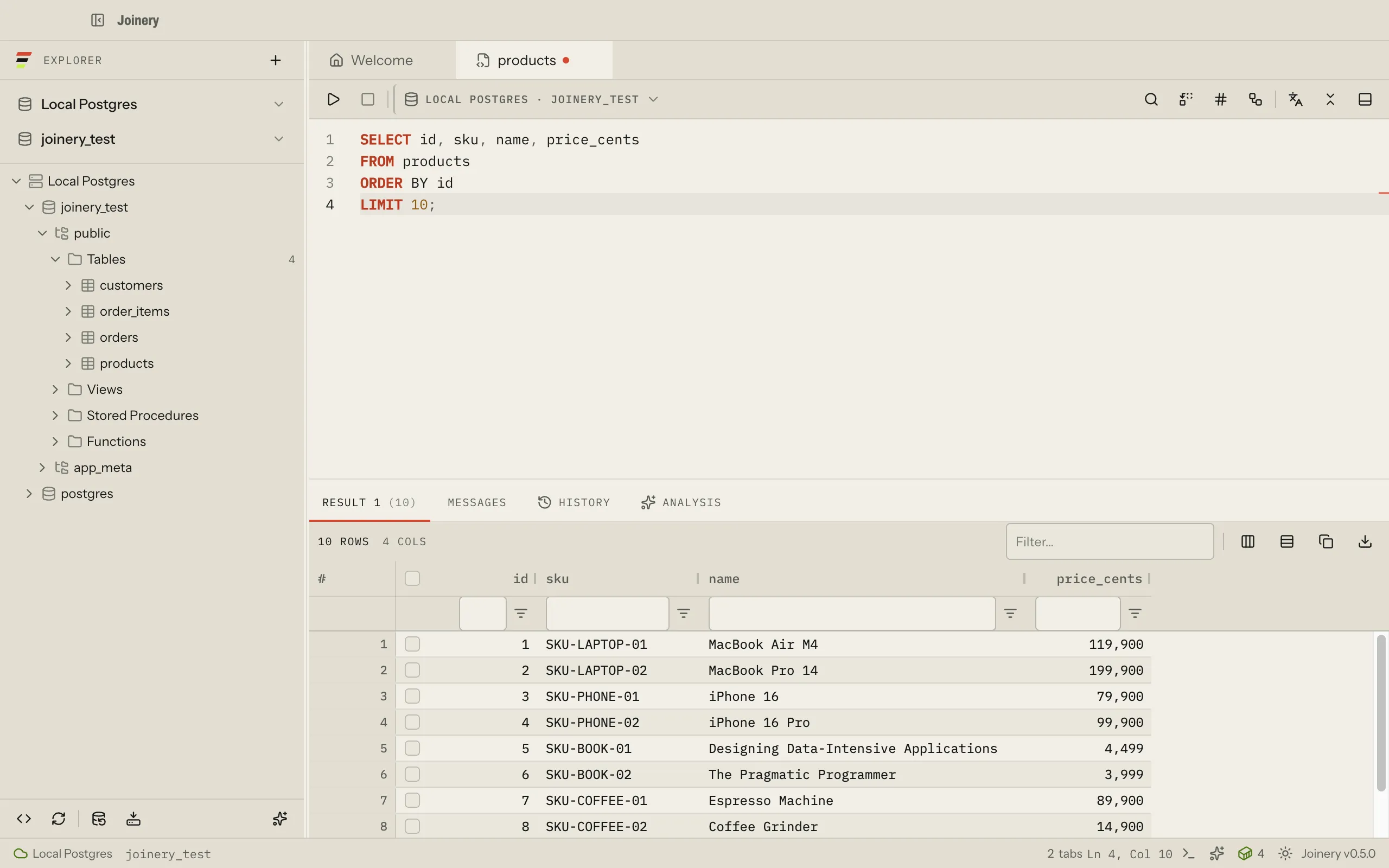
One window: the explorer on the left, the editor and its results in the middle, and the connection you are on named in the status bar. A tour of the workspace names every region.
How it goes
Connect. Understand. Query. Verify.
Four steps, and the app is built in that order. Every one of them is documented, and every page carries its citations.
- 01Connect
- Any of the three engines, directly or through an SSH tunnel. Passwords and keys go to the operating system credential store, never to a file in the profile.Connect over a tunnel
- 02Understand
- A lazy object explorer, an ER diagram built from the schema you are looking at, and — on SQL Server and MySQL — a comparison that hands you a query instead of a black box.Diagram a schema
- 03Query
- An editor that knows which dialect it is in, a grid built for large result sets, and execution plans from each engine’s own planner.The query editor
- 04Verify
- Joinery surfaces the exact statement the server ran, and puts a confirmation in front of the operations that would overwrite something.Create and rename
In the workbench
One guide per shipped surface.
Eight of them below. There are seventeen in all, plus the generated reference tables the guides link to rather than repeat.
- Query editor
- Three execute keystrokes, statement scope, formatting, placeholders and .sql files.
- Results grid
- Sorting, filtering, copy and export, a row inspector, and foreign-key lookups.
- Execution plans
- How each engine is asked for a plan, and why SQL Server runs your statement to give one.
- Object explorer
- The sidebar tree, its keyboard model, and what Refresh actually re-reads.
- ERD
- Relationship diagrams, what a box shows, and the details rail beside it.
- Schema diff
- Compare two databases on one server — the server does the comparing, and you keep the rows. On SQL Server and MySQL; PostgreSQL cannot query across databases, and is refused.
- Backup and restore
- What each engine actually runs, the host tools it needs, and the guard on a restore.
- Docker containers
- Local database containers, detected and listed, with start, stop and connect.
The assistant
It reads your schema, and it shows its work.
The assistant opens beside your work, or as a tab of its own. It is told the connection and its engine, the selected database, and the SQL in the editor in front of you — and the line under its header states that context, read from the same source the message is, so it cannot claim context the model never got.
Bring your own key. Joinery ships no keys and proxies nothing: the main process talks to the vendor directly from your machine, with a key you supply, and that key goes to the operating system credential store rather than to a file in the profile.
Built in the open, under the MIT license.
The whole application is on GitHub — the Electron main process, the React renderer, the multi-engine SQL layer, and this site.